A Truly Free, API-First AI Video Pipeline
ขั้นตอนสร้างวิดีโอ AI ฟรีจริง — ไม่ต้องจ่ายค่า API
真正免费的 AI 视频流程 — 无需付费 API
What changed and why มีอะไรเปลี่ยนไป改了什么、为什么
English
The earlier version of this pipeline cost about $2.50 per two-minute video — script via Gemini Pro, stills via Nano Banana 2, motion via Seedance 2.0 on Replicate. Watermark-free, but not free.
This version is $0. Every paid model has a free substitute that produces watermark-free output without daily caps. The trade-off is honest and small: stills come from Pollinations.ai FLUX (very close to Nano Banana 2), and the default motion is ffmpeg Ken Burns on stills — real camera moves, no AI subject motion. If you want subject motion back, an opt-in flag uses a free HuggingFace Space.
ไทย
เวอร์ชันก่อนของหน้านี้มีค่าใช้จ่ายราว $2.50 ต่อวิดีโอ 2 นาที — เขียนสคริปต์ด้วย Gemini Pro, ภาพนิ่งด้วย Nano Banana 2, ทำการเคลื่อนไหวด้วย Seedance 2.0 บน Replicate. ไม่มีลายน้ำ แต่ก็ไม่ฟรี
เวอร์ชันนี้ราคา $0. ทุก model ที่เคยจ่ายเงิน มีของฟรีแทนได้โดยไม่มีลายน้ำและไม่มีโควต้ารายวัน เทรดออฟตรงไปตรงมา: ภาพนิ่งใช้ Pollinations.ai FLUX (คุณภาพใกล้ Nano Banana 2 มาก), ส่วนการเคลื่อนไหวเริ่มต้นใช้ ffmpeg Ken Burns บนภาพนิ่ง — เป็นการเคลื่อนกล้องจริง ไม่ใช่การขยับวัตถุด้วย AI ถ้าอยากได้การเคลื่อนวัตถุจริง ๆ มี flag เสริมใช้ HuggingFace Space ฟรี
中文
本页面之前的版本每个 2 分钟视频成本约 $2.50——Gemini Pro 写脚本,Nano Banana 2 出图,Replicate Seedance 2.0 做动效。无水印,但不免费。
现在的版本是 $0。每个收费模型都有不带水印且无每日限额的免费替代品。取舍诚实而轻微:静帧来自 Pollinations.ai 的 FLUX(与 Nano Banana 2 非常接近),默认动效是 ffmpeg Ken Burns 推拉摇移,真实的相机运动,但不带 AI 主体运动。如果想要主体运动,加一个可选 flag 调用免费的 HuggingFace Space。
The driver script lives at python/video_gen/free_pipeline.py. A verified end-to-end run with topic "a Lanna farmer at dawn launching khom loi lanterns over Chiang Mai" produced a 19.6-second 1280×720 H.264 video — three scenes, three voiceover lines, one anchor portrait, six stills, three Ken Burns clips, one final mux — in under a minute on a laptop. Total API spend: $0.00.
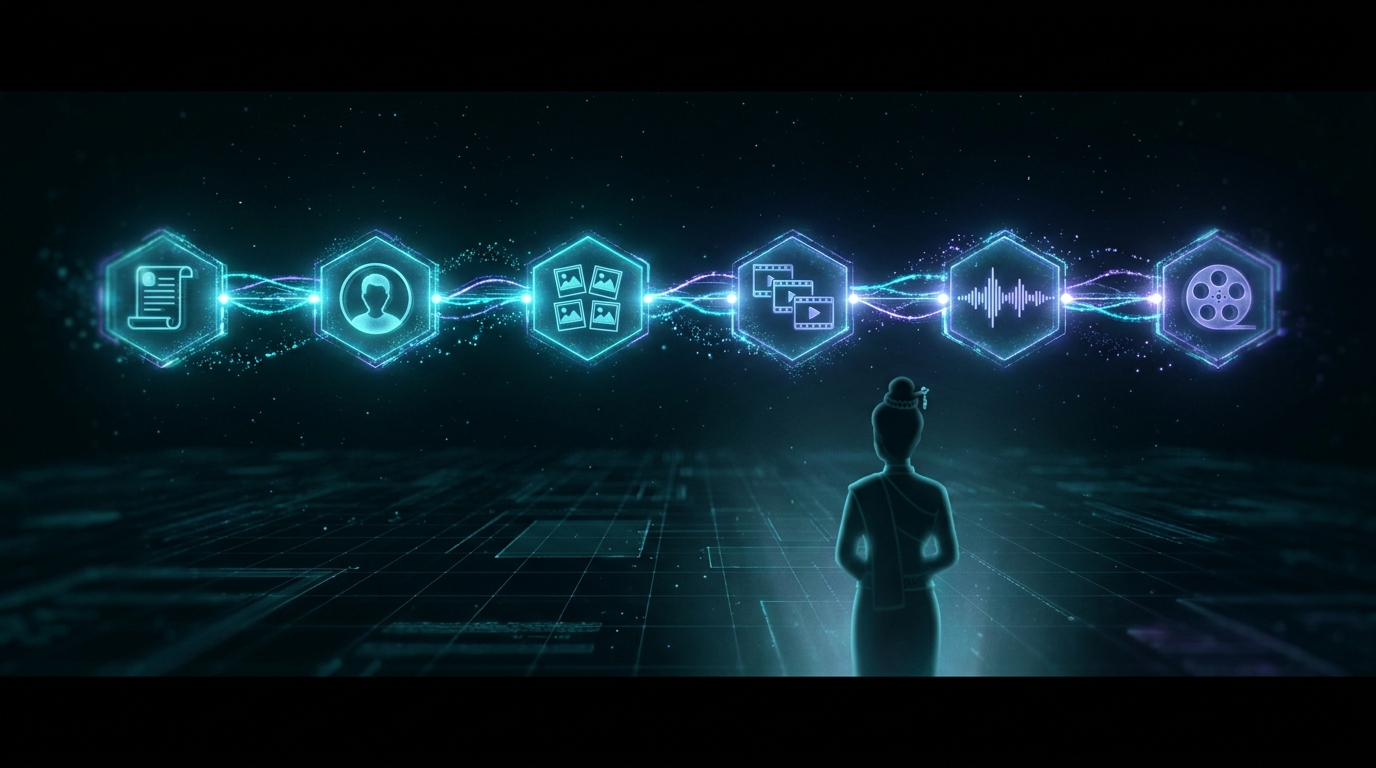
Pipeline at a glance ภาพรวมทั้งหมด整体流程一览
| Phase | Output | Free service | Auth | Cost |
|---|---|---|---|---|
| 1. Script | Structured blueprint (JSON) | Gemini 2.5 Flash (free tier) | Free key from aistudio.google.com |
$0 |
| 2. Anchor | 1 hero still (character lock) | Pollinations.ai FLUX | None — anonymous | $0 |
| 3. Storyboard | N scene stills | Pollinations.ai FLUX (serial) | None — anonymous | $0 |
| 4. Voice | Narration .mp3 per scene | Microsoft Edge TTS | None — anonymous | $0 |
| 5. Motion | Clip per scene (still + camera move) | ffmpeg zoompan Ken Burns |
None — local CPU | $0 |
| 5b. Motion (opt-in) | Real i2v subject motion | HF Space Lightricks/ltx-video-distilled |
Free HF account → token | $0 (ZeroGPU quota) |
| 6. Assembly | Final .mp4 | ffmpeg concat + mux |
None — local CPU | $0 |
Total for a 2-minute video: $0.00 of API spend and roughly 1–4 minutes of wall-clock time. Stills run sequentially because Pollinations rate-limits concurrent anonymous requests; that's the only meaningful pacing constraint.
Script generation เขียนสคริปต์อัตโนมัติ脚本自动生成
Gemini 2.5 Flash · free tier JSON schemaThe free-tier Gemini 2.5 Flash is more than capable for blueprint generation — JSON mode is solid, latency is under three seconds, and the daily quota is generous. Grab a free key from aistudio.google.com/apikey and put it in env.txt.txt as google-api:AIza....
# pip install google-genai
from google import genai
from google.genai import types
import json

client = genai.Client(api_key=GEMINI_KEY)

SYSTEM = """You are a senior video director. Output JSON only:
{
  "anchor_prompt":  string,
  "scene_prompts":  [string],
  "motion_prompts": [string],
  "narration":      [string],
  "music_prompt":   string,
  "voice_style":    string
}"""

resp = client.models.generate_content(
    model="gemini-2.5-flash",
    contents="Topic: a Lanna farmer at dawn launching khom loi lanterns. 6 scenes.",
    config=types.GenerateContentConfig(
        system_instruction=SYSTEM,
        response_mime_type="application/json",
        temperature=0.85,
    ),
)
blueprint = json.loads(resp.text)
The blueprint task is small (~1k input, ~1k output, no images, no tools). Flash matches Pro for JSON-mode structured output here, runs ~3× faster, and sits inside the free-tier 1500-RPD quota. Save Pro for the rare task that actually benefits from it.
Anchor image ภาพต้นแบบของตัวละคร角色锚定图
Pollinations.ai · FLUX · anonymousPollinations runs a public FLUX endpoint that returns clean PNGs over a single HTTP GET — no API key, no signup. URL-encode the prompt, fix a seed for repeatability, and the image bytes come back in 5–15 seconds.
import requests, hashlib
from urllib.parse import quote
from pathlib import Path

def seed_from(text):
    return int(hashlib.sha256(text.encode()).hexdigest()[:8], 16) % 2**31

prompt = blueprint["anchor_prompt"] + ", cinematic portrait, 16:9, hyperreal lighting"
url = (
    f"https://image.pollinations.ai/prompt/{quote(prompt)}"
    f"?model=flux&width=1280&height=720&seed={seed_from(prompt)}"
    f"&nologo=true&enhance=false"
)
r = requests.get(url, timeout=180)
Path("out/anchor.png").write_bytes(r.content)
The result is a 1280×720 FLUX render — visually close to Nano Banana 2, slightly less character-locked. Regenerate (vary the seed) until you have a portrait you like. This single file is the character contract for every storyboard scene.
Storyboard stills (serial) ภาพแต่ละฉาก分镜批量生成
Pollinations.ai · serial loopLoop the scene prompts. Repeat the anchor description in every prompt — Pollinations doesn't expose a true image-conditioning endpoint anonymously, so character coherence comes from prompt repetition plus deterministic seeding. Keep concurrency at 1: the anonymous endpoint returns 429 on parallel requests.
import asyncio, time

async def render_stills(blueprint, out_dir):
    sem = asyncio.Semaphore(1)             # serial — Pollinations 429s on parallel
    anchor_desc = blueprint["anchor_prompt"]

    async def one(i, scene_prompt):
        async with sem:
            full = f"{scene_prompt}, featuring: {anchor_desc}, 16:9 cinematic, matching character"
            await asyncio.to_thread(
                gen_still, full, seed_from(anchor_desc) + i,
                out_dir / f"scene_{i:02d}.png",
            )

    async with asyncio.TaskGroup() as tg:
        for i, p in enumerate(blueprint["scene_prompts"]):
            tg.create_task(one(i, p))
Pollinations anonymous returns HTTP 429 with a tiny error JSON when you hit it concurrently. Exponential backoff (5s → 20s → 45s → 60s) covers transient spikes. If you need parallelism, sign up at enter.pollinations.ai for a free authenticated key — anonymous serial is fine for 5–30 stills.
Narration เสียงพากย์配音生成
Microsoft Edge TTS · anonymous 300+ voicesThe edge-tts Python package talks to the same neural TTS engine that powers Microsoft Edge's "Read Aloud" feature. No API key. No daily cap. 300+ voices, including two Thai ones (th-TH-PremwadeeNeural, th-TH-NiwatNeural). Quality is comparable to Gemini TTS for most narration uses.
# pip install edge-tts
import asyncio, edge_tts

async def tts(text, out_path, voice="en-US-AvaNeural"):
    c = edge_tts.Communicate(text, voice)
    await c.save(str(out_path))

async def render_voice(blueprint, out_dir):
    for i, line in enumerate(blueprint["narration"]):
        await tts(line, out_dir / f"voice_{i:02d}.mp3")
Voice is generated before motion in the free pipeline. The duration of each narration clip becomes the duration of each visual clip — that way the timeline lines up without a separate alignment pass.
Motion — Ken Burns or HF Space ทำให้ภาพเคลื่อนไหว让画面动起来
ffmpeg zoompan HF Spaces (opt-in)The default motion backend is ffmpeg's zoompan filter — push, pull, pan-left, pan-right. It runs locally in seconds, never fails, and gives you a real cinematic camera move on each still. For most narrative-over-stills work this is what you want anyway.
def kenburns_clip(src, duration, kb_dir, out, w=1280, h=720, fps=30):
    frames = int(round(duration * fps))
    if kb_dir == "in":
        z = "if(eq(on,0),1.0,zoom+0.0008)"
        x = "iw/2-(iw/zoom/2)"; y = "ih/2-(ih/zoom/2)"
    elif kb_dir == "out":
        z = "if(eq(on,0),1.12,max(1.001,zoom-0.0008))"
        x = "iw/2-(iw/zoom/2)"; y = "ih/2-(ih/zoom/2)"
    # ... left / right omitted for brevity
    vf = (
        f"scale=2560:-1:flags=lanczos,"
        f"zoompan=z='{z}':d={frames}:s={w}x{h}:fps={fps}:x='{x}':y='{y}',"
        f"scale={w}:{h}:force_original_aspect_ratio=decrease,"
        f"pad={w}:{h}:(ow-iw)/2:(oh-ih)/2:black,setsar=1,format=yuv420p"
    )
    subprocess.run([
        "ffmpeg", "-y", "-loglevel", "error",
        "-loop", "1", "-i", str(src),
        "-vf", vf, "-t", f"{duration}", "-r", str(fps),
        "-c:v", "libx264", "-preset", "fast", "-crf", "20",
        "-pix_fmt", "yuv420p", "-an", str(out),
    ], check=True)
If you want real AI subject motion (waving grass, lantern flicker, walking gait) — opt into a free HuggingFace Space. Lightricks/ltx-video-distilled exposes /image_to_video via Gradio, runs on ZeroGPU, and is gated only by your free HF account's daily quota.
# pip install gradio_client    (only needed for --i2v hf)
from gradio_client import Client, handle_file

c = Client("Lightricks/ltx-video-distilled", token=HF_TOKEN, verbose=False)
res = c.predict(
    prompt=motion_prompt,
    negative_prompt="worst quality, blurry, watermark",
    input_image_filepath=handle_file(str(still)),
    input_video_filepath="",
    height_ui=512, width_ui=768,
    mode="image-to-video",
    duration_ui=4.0, ui_frames_to_use=25,
    seed_ui=42, randomize_seed=False,
    ui_guidance_scale=3.0, improve_texture_flag=False,
    api_name="/image_to_video",
)
# res["video"] is a temp filepath — copy to your clips/ dir
(1) The Space requires a free HF token (hf_xxxx) — anonymous calls return 401. (2) ZeroGPU pools have daily quotas; long sessions can queue. (3) Spaces drift — endpoint names and parameter shapes change. free_pipeline.py wraps the call in a try/except and falls back to Ken Burns on failure, so a broken Space never blocks the build.
Assembly ตัดต่อด้วย ffmpeg用 ffmpeg 合成
ffmpeg concat demuxerOne write of clips.txt, one concat-demuxer pass, one mux pass. The concat demuxer copies streams without re-encoding (fast and lossless), and the final mux is a single libx264 / AAC pass at -profile:v high -level 4.0 -pix_fmt yuv420p for guaranteed LINE / mobile-Safari playback.
# 1. Concat video clips
Path("out/clips.txt").write_text(
    "\n".join(f"file '{c.as_posix()}'" for c in clips)
)
subprocess.run([
    "ffmpeg", "-y", "-loglevel", "error",
    "-f", "concat", "-safe", "0", "-i", "out/clips.txt",
    "-c", "copy", "out/concat.mp4",
], check=True)

# 2. Concat narration mp3s the same way
#    (same pattern with voice_NN.mp3 -> voice_concat.mp3)

# 3. Mux video + voice into final.mp4
subprocess.run([
    "ffmpeg", "-y", "-loglevel", "error",
    "-i", "out/concat.mp4", "-i", "out/voice_concat.mp3",
    "-map", "0:v:0", "-map", "1:a:0",
    "-c:v", "libx264", "-preset", "medium", "-crf", "20",
    "-pix_fmt", "yuv420p", "-profile:v", "high", "-level", "4.0",
    "-c:a", "aac", "-b:a", "192k", "-shortest", "-movflags", "+faststart",
    "out/final.mp4",
], check=True)
(1) xfade renegotiates back to yuv444p even if every input was 420 — that's why this pipeline uses the concat demuxer instead. Both faster and safer.
(2) drawtext can't parse Unicode escapes inline. If you add captions, write each line to a UTF-8 .txt file and use textfile=path.
(3) For Thai glyphs use tahoma.ttf — tahomabd.ttf (Tahoma Bold) has no Thai code points and renders .notdef squares.
The whole driver script สคริปต์หลัก主控脚本
Once each phase is a function, the driver is boring on purpose — that's the win over the click-driven version. --resume-from skips earlier phases when their output files already exist on disk.
# python/video_gen/free_pipeline.py
def main(topic, scenes, voice, i2v):
    blueprint = phase_script(topic, scenes, creds, base / "blueprint.json")
    phase_anchor(blueprint, base / "anchor.png")
    stills    = asyncio.run(phase_stills(blueprint, base / "stills"))
    voices    = asyncio.run(phase_voice(blueprint, voice, base / "voice"))
    durations = [d for _, d in voices]
    clips     = phase_motion(blueprint, stills, durations, i2v, creds["hf"], base / "clips")
    assemble(clips, voices, base / "work", base / "final.mp4")
# Run it
$ python free_pipeline.py --topic "a Lanna farmer at dawn launching khom loi lanterns" --scenes 6
$ python free_pipeline.py --topic "..." --voice th-TH-PremwadeeNeural   # Thai narration
$ python free_pipeline.py --topic "..." --i2v hf                        # real subject motion
$ python free_pipeline.py --topic "..." --resume-from voice              # keep stills, redo voice on
About watermarks เรื่องลายน้ำ关于水印
None of the free services in this stack burns in a watermark. Pollinations FLUX honours nologo=true. Edge TTS returns clean audio. The HF Space output is raw model frames. Watermarks only show up if you fall back to consumer-facing web tiers of Veo / Meta AI — that's where the manual workflow leans, and it's exactly what scripting avoids.
If you ever do need to remove one, do it mathematically, not with AI inpainting: a known semi-transparent overlay with a fixed alpha and position is invertible per-pixel with a few lines of NumPy. Inpainting hallucinates, which means inconsistent texture across frames and a flicker artefact you can't unsee.
What it actually costs ค่าใช้จ่ายจริง实际成本
The verified Lanna-farmer reference build was three scenes, 19.6 seconds, $0.00. A two-minute, 25-scene run sits comfortably inside the Pollinations rate limits and the Gemini free-tier quota; total wall-clock time is roughly 5–8 minutes serially, most of it Pollinations waiting on FLUX.
When you'd still touch a UI เมื่อไหร่ที่ต้องใช้เว็บ什么时候仍需用界面
- One-shot prototyping. If you're testing a single shot, the Gemini app or any web playground is faster than spinning up a script. Once you want to do it twice, port it to code.
- Music generation. Suno has no public API. Generate the track in the web UI once, download the .mp3, then the rest of the pipeline stays scripted. (You can leave it out entirely — the free pipeline emits voice-over-stills without a music bed.)
- Final colour pass. Some videos benefit from a 30-second tweak in DaVinci Resolve or CapCut. Automate everything up to the final cut, then do the taste pass by hand.
The principle is unchanged: automate the parts that are repetitive and verifiable; keep human judgment for the parts that need taste.